How to Choose the Best Bluetooth Smart Glasses

Choosing Bluetooth Smart Glasses is less about chasing a long feature list and more about finding a pair that fits your day. Will calls stay clear on a windy walk? Can you hear directions beside a busy street without turning the volume all the way up? Does the frame feel comfortable after an hour, not just during a quick try-on? Small details matter. A bright display can look impressive indoors, yet become difficult to read beneath midday sun. A light frame can still pinch behind your ears.

Bluetooth co-inventor Jaap Haartsen has described Bluetooth’s purpose as enabling wireless connections between nearby devices. That is a paraphrase, not a direct quotation. For shoppers, the practical lesson is simple: judge the connection by how reliably the glasses pair with your phone, handle calls, and reconnect after interruptions. Check battery life under realistic use, microphone quality, speaker placement, fit, and compatibility with your devices. Try them on if possible. Listen in a quiet room, then consider how they might perform outdoors. These checks cannot guarantee a perfect match. Personal comfort varies, and product claims may not reflect your routine.

This guide explores how to compare Bluetooth Smart Glasses without treating every extra feature as essential. A camera, voice assistant, or touch control may be useful. Or not. The best choice is the pair that performs its core tasks reliably, feels comfortable, and suits the moments you actually want to use it.
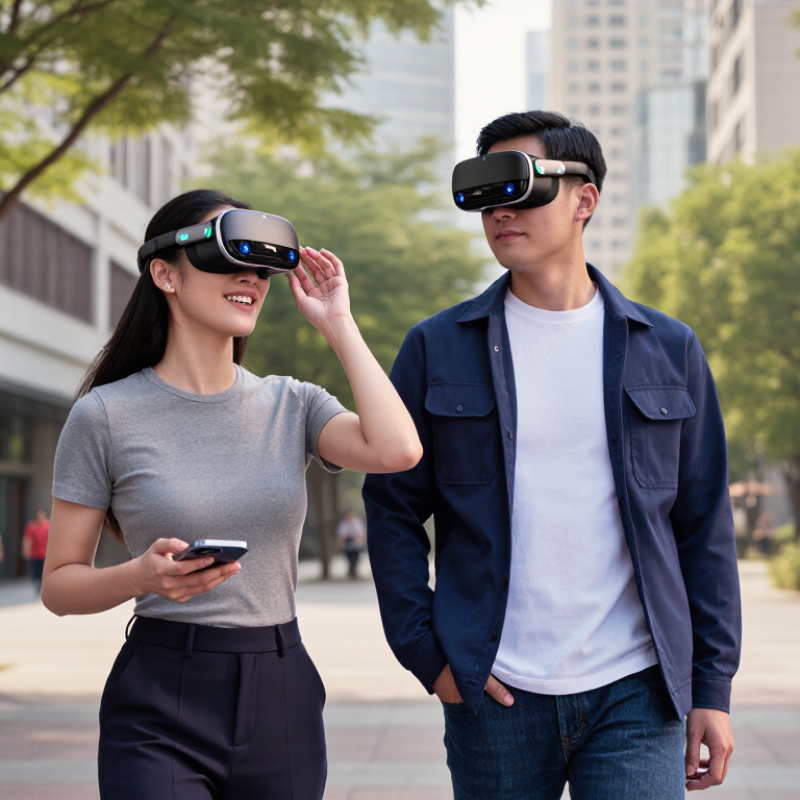
How to Choose the Best Bluetooth Smart Glasses

Define Your Needs and Intended Uses

Before comparing Bluetooth smart glasses, picture a normal day, not a product demo. Do you need hands-free calls while walking, audio directions on a commute, or discreet access to notifications at work? Each use changes what matters: microphone clarity in a busy street, comfortable weight during a long shift, or controls you can find without looking. That matters. If you mainly listen to podcasts, a camera may add cost and distraction without helping. I still find battery life easy to underestimate; a device that lasts through a morning may not cover a full travel day.

Market growth can make every feature look essential. Grand View Research estimated the global smart glasses market at US$1.93 billion in 2023, with a projected 27.3% annual growth rate from 2024 to 2030. IDC reported 534.6 million wearable-device shipments worldwide in 2023, a broad category that includes products beyond glasses. These figures suggest rising interest, not proof that every feature suits your routine. Small details matter. Try to identify your top two daily tasks, then check call quality, fit with prescription lenses, battery life, and phone compatibility against them. A useful test is simple: imagine wearing the glasses for a 30-minute walk, with traffic noise and a low phone battery. Would they still help?

Understand Core Bluetooth Smart Glasses Features

Bluetooth smart glasses need more than a stable connection. Check the Bluetooth version, supported audio profiles, microphone quality, and controls. A newer version alone does not guarantee better sound or fewer dropouts. The Bluetooth SIG’s 2024 Market Update forecasts more than five billion Bluetooth device shipments annually by 2028, reflecting how common connected devices have become. For glasses, compatibility still matters: test pairing with your phone and whether calls, music, and voice commands work as expected.

Listen for clear speech in a quiet room, then try a short call outdoors. Wind can expose weak microphone noise handling. Check whether the glasses support multipoint connections if you switch between a phone and laptop. Useful details include physical volume controls, audio latency, and battery life during calls—not just standby time. Small details matter. Fit matters, too: speakers should sit comfortably near your ears without blocking surrounding sounds.

Look for an IP rating if you expect sweat or light rain, and confirm what the rating actually covers. Bluetooth SIG documentation describes LE Audio and the LC3 codec, designed to deliver audio efficiently; however, device support varies. Ask which features work together, rather than relying on a codec name alone. A useful test is simple: pair the glasses, walk one room away, and check for interruptions. Specifications help, but they do not capture every real-world annoyance.

How to Choose the Best Bluetooth Smart Glasses

Compare Bluetooth LE PHY modes by their theoretical raw data rate.

These are standardized theoretical Bluetooth LE PHY rates, not guaranteed audio speeds or real-world range. When choosing smart glasses, also check device compatibility, audio support, battery life, microphone quality, and fit.

Check Device Compatibility and Connectivity

Before buying, check the glasses’ supported Bluetooth profiles and your phone’s operating system requirements. Bluetooth version numbers alone do not confirm that calls, audio, and touch controls will all work. The Bluetooth SIG’s 2024 Market Update estimated 5.4 billion Bluetooth device shipments in 2023, showing how common the technology is—but not that every device pairs smoothly. Check the glasses’ manual for supported functions, then confirm that your phone can provide them. Do not guess.

Test the connection in ordinary places. Pair the glasses, play audio, make a call, and walk to another room with your phone nearby. Walls and crowded wireless environments can affect performance. If you use a laptop and phone, check whether the glasses support multipoint connections; “paired” does not always mean they can switch cleanly between devices. Test both. Also review the companion app’s operating-system requirements and permission settings, since setup features may depend on them. A quick test is useful, but it cannot predict every commute or office. I would still check return terms before purchasing, especially if your phone model is older or its software has not been updated recently.

How to Choose the Best Bluetooth Smart Glasses - Check Device Compatibility and Connectivity

Compatibility or Connectivity Check What to Verify Why It Matters Practical Check
Phone operating system Confirm the glasses support your phone’s operating system and version. Check whether setup or extra features require a companion app. Basic Bluetooth audio may work while app-dependent settings or features do not. Review the compatibility requirements and app availability before purchase.
Bluetooth version Compare the glasses’ Bluetooth version with your phone’s. Bluetooth devices are generally designed for backward compatibility, but available features depend on both devices. A newer version alone does not guarantee a longer range, better sound, or every newer feature. Check the specifications of both devices and confirm the features you need are supported on each.
Audio profiles For music, look for A2DP support; for calls, look for HFP. AVRCP is commonly used for media controls. Bluetooth profiles define how devices handle functions such as music playback, calls, and control buttons. Check that both the glasses and phone support the profiles required for your intended use.
Bluetooth LE Audio If you want LE Audio features, confirm support on both the glasses and the phone, including the required operating-system version. LE Audio uses newer Bluetooth audio capabilities; support is not implied by a Bluetooth version number alone. Look for explicit LE Audio support in both devices’ specifications.
Microphone and call support Verify that the glasses provide a microphone and support Bluetooth calling with your phone. A device may play audio but still have limitations with calls, voice assistants, or microphone access. Test a call and voice input during the return period, including in a typical noisy environment.
Multipoint connection Check whether the glasses can maintain connections to two devices at once and how switching between them works. Multipoint support is optional and can differ between models; simultaneous connection does not always mean simultaneous audio playback. Confirm the supported device count and switching behavior in the product documentation.
Wireless range and environment Check the stated Bluetooth range and remember that walls, bodies, and nearby wireless devices can reduce real-world performance. Published range is measured under specific conditions and may not match everyday use. Test the connection in the spaces where you expect to use the glasses.
Pairing and reconnection Check the pairing steps, device memory, and whether the glasses reconnect automatically to a previously paired phone. Simple, reliable reconnection makes everyday use easier, especially when switching between devices. Pair the glasses, disconnect them, and confirm they reconnect as described in the instructions.
Controls and permissions Check how touch, buttons, or voice controls work and whether the app needs permissions such as Bluetooth, microphone, or notifications. Some functions depend on phone settings, app permissions, or operating-system support. Review required permissions and test the controls you plan to use.
Charging while connected Determine whether the glasses can maintain a Bluetooth connection while charging and whether charging interrupts playback. Charging behavior varies by design and can affect how the glasses fit into your routine. Check the manual or test the behavior; do not assume charging and playback work simultaneously.

Compare Comfort, Battery Life, Audio, and Privacy

A smart-glasses demo can feel comfortable for five minutes and irritating after an hour. Check pressure at the nose bridge and behind the ears, especially with prescription lenses. Fit first. Then compare total weight, not just frame shape. A small battery can also shift the balance as the day goes on. Ask how long the glasses last during your actual routine: calls, music, and voice features often drain power differently from standby. Bluetooth SIG’s 2024 Market Update projects annual Bluetooth device shipments will reach 7.1 billion by 2028, reflecting how common wireless listening has become. That growth does not guarantee clear sound or long battery life. Test a call in a busy room, and listen for tinny voices or sound leaking toward nearby people.

Privacy deserves the same attention as comfort. Find out whether the glasses have a camera or microphones, when they activate, and how recording is indicated. Check whether voice clips are stored, how to delete them, and which controls work without an app. Pew Research Center’s 2019 privacy survey found that 79% of U.S. adults were concerned about how companies use their data. That concern is practical, not abstract. Still, product descriptions may leave details fuzzy; read the privacy settings before buying, and test them yourself. A mute control you cannot reach while walking is not much of a safeguard. Use a short trial, charge the glasses overnight, and note what feels awkward. The right choice may be less impressive on paper, but easier to wear all day.

Select a Model That Fits Your Budget and Priorities

Set a firm price limit before comparing features.

Counterpoint Research reported that global smart-glasses shipments rose 210% year over year in the first half of 2024. That signals growing interest, not guaranteed value. A lower-priced pair may suit music and calls, while a costlier model may add navigation, cameras, or prescription support. Pay only for features you will use weekly.

Try the frames on, if possible. Check whether they pinch your temples or slide when you look down. Small discomfort becomes hard to ignore after an hour.

Compare the details that affect daily use: battery life during calls, charging time, microphone clarity, and compatibility with your phone. Ask how prescription lenses are fitted and priced; the frame price may not include them.

Test audio in a quiet room and near ordinary street noise. Some speakers leak sound, which can matter on a bus or in a shared office. Read independent reviews, and check the return window before ordering.

That trade-off is easy to miss. I would prioritize comfort over a feature list, though I might still regret skipping a useful camera.

Make a short checklist of must-haves, then compare total cost, including lenses and accessories. A good fit beats a flashy spec sheet.

Article Source:

'