
How to Choose the Right PoE Switch for Your Business?
Choosing the right Poe Switch is more than counting Ethernet ports. It affects power delivery, network stability, maintenance time, and future expansion. A small office may need eight ports, while a security system could require dozens of powered connections. Cameras, wireless access points, VoIP phones, and sensors also demand different power levels. The IEEE 802.3af, 802.3at, and 802.3bt standards provide useful guidance. However, real devices may perform differently under heat, distance, and continuous load.
Begin by calculating the total PoE power budget, not only the wattage of one device. For example, twelve cameras needing 8 watts each require at least 96 watts. A practical reserve is still necessary. A managed Poe Switch can provide VLAN control, traffic monitoring, port scheduling, and remote troubleshooting. These features often matter more than a low purchase price. Check uplink speed carefully, especially when multiple cameras transmit high-resolution footage. Gigabit uplinks may be adequate today, but limited expansion can create frustration later.
Physical conditions deserve attention. A dusty warehouse, warm ceiling, or crowded network cabinet can shorten equipment life. Review temperature ratings, fan noise, surge protection, warranty terms, and vendor support. Ask for verified test data and read the manufacturer’s datasheet closely. No checklist is perfect. A neat spreadsheet can still miss an awkward cable route or an overloaded outlet. The safest choice balances present requirements, realistic growth, and evidence from dependable sources. A short installation trial can reveal problems before they spread across the entire business network.
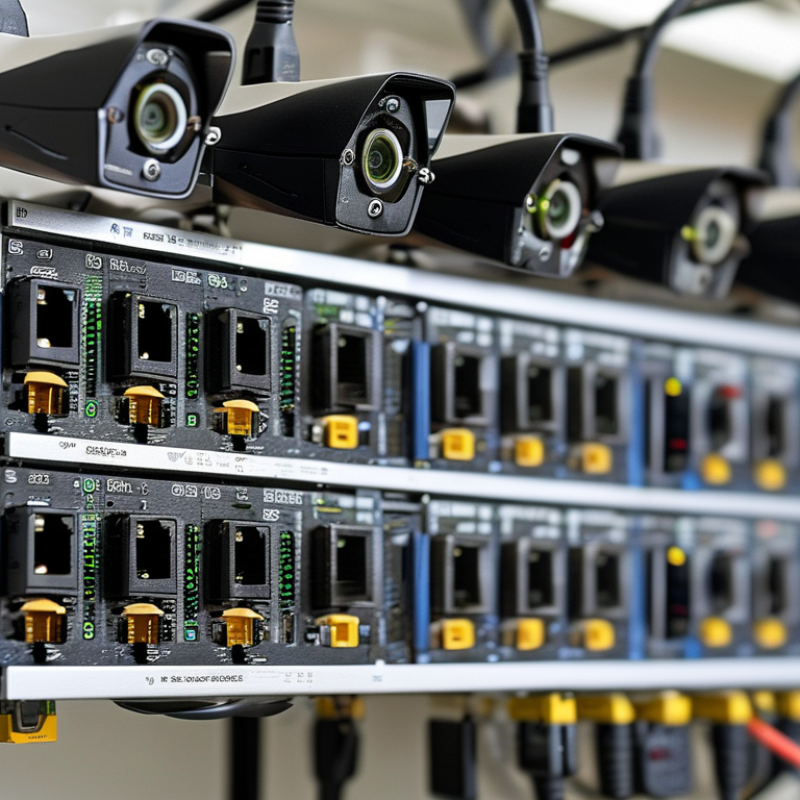
What a PoE Switch Is and How It Powers Network Devices
How to Choose the Right PoE Switch for Your Business?
A Power over Ethernet (PoE) switch sends network data and electrical power through one Ethernet cable. It can power wireless access points, security cameras, VoIP phones, and other compatible devices. This reduces cable clutter and simplifies installation near ceilings or outdoor walls.
The switch acts as the power source, while each connected device receives power according to its requirements. PoE standards provide different power levels, so check the device’s input needs before purchasing. Add the total wattage of all devices, then keep a safety margin for startup surges and future expansion. A switch with 24 ports may seem suitable, but its total power budget could still be too low. Port count alone is misleading. Managed models offer VLANs, monitoring, and remote troubleshooting. Unmanaged models are easier to deploy, but provide less visibility when something fails.
Tips: Check cable quality and distance before installation. Use certified Ethernet cables, especially near heat or moisture. Review the switch’s power budget, not only its port number. Leave spare capacity. It costs less than replacing an overloaded switch later. Also consider cooling, mounting space, and backup power. A common mistake is ignoring heat buildup in a small cabinet. I have seen stable networks become unreliable after expansion. Planning helps, but real conditions can still challenge the design.
How to Choose the Right PoE Switch for Your Business? - What a PoE Switch Is and How It Powers Network Devices
| Selection Dimension | Key Technical Data | What It Means | Typical Business Use | Recommended Evaluation |
|---|---|---|---|---|
| PoE Standard | IEEE 802.3af, IEEE 802.3at, or IEEE 802.3bt | The standard determines how much power the switch can deliver and which powered devices it can support. | Basic access points, IP phones, cameras, wireless access points, pan-tilt-zoom cameras, and high-performance access points. | Confirm that the switch standard is compatible with the requirements of every connected powered device. |
| Power per Port | 802.3af: up to 15.4 W from the switch 802.3at: up to 30 W from the switch 802.3bt Type 3: up to 60 W from the switch 802.3bt Type 4: up to 90–100 W from the switch | Available power decreases slightly between the switch output and the device because of cable and connection losses. | Low-power phones and cameras generally use lower PoE levels; multi-radio access points, video terminals, and some displays may require higher levels. | Use the powered device's maximum input requirement rather than its average power consumption. |
| Usable Power at the Device | 802.3af: up to approximately 12.95 W 802.3at: up to approximately 25.5 W 802.3bt Type 3: up to approximately 51 W 802.3bt Type 4: up to approximately 71.3 W | This is the approximate power budget available to the powered device after transmission losses. | Important for devices with heaters, motorized lenses, multiple radios, or other features that increase peak demand. | Leave additional capacity for startup power, peak loads, and future device upgrades. |
| Total PoE Power Budget | The combined wattage available to all PoE ports, normally specified in watts. | A switch may support high power on one port but still be unable to power all ports at their maximum levels simultaneously. | Useful when connecting many cameras, phones, access points, or other powered devices at the same time. | Add the maximum power requirement of all planned devices and include a practical reserve of approximately 20–30%. |
| Number of PoE Ports | Common configurations range from 4 or 8 ports to 24, 48, or more ports. | The port count determines how many powered devices can connect directly to the switch. | Small offices, branch locations, classrooms, retail areas, hotels, warehouses, and larger buildings. | Count current devices, planned additions, and spare ports for maintenance or expansion. |
| Network Speed | Fast Ethernet, Gigabit Ethernet, 2.5 Gigabit Ethernet, 5 Gigabit Ethernet, or 10 Gigabit Ethernet uplinks and ports. | Speed affects bandwidth for video streams, wireless traffic, file transfers, and uplink congestion. | Gigabit connections are common for phones, standard cameras, and many access points; faster uplinks suit dense wireless networks and high-resolution video. | Match port speed to device requirements and verify that uplinks can carry the combined traffic of the access ports. |
| Maximum Cable Distance | Up to 100 meters per copper Ethernet channel, including the permanent link and patch cables, under standard structured-cabling limits. | PoE power and data are normally transmitted over the same twisted-pair Ethernet cable. | Office floors, security camera runs, access points, conference rooms, and retail installations. | For longer distances, consider fiber uplinks, intermediate switches, PoE extenders, or a revised network layout. |
| Cable Category | Use compatible balanced twisted-pair cabling, commonly Category 5e or better; higher-power installations benefit from suitable four-pair cabling and proper conductor size. | Cable quality, length, temperature, and resistance affect both data performance and power delivery. | New installations, building renovations, surveillance networks, and high-power wireless deployments. | Use certified cabling, avoid damaged or poorly terminated cables, and follow the cabling manufacturer's current and temperature guidance. |
| Managed or Unmanaged Operation | Unmanaged switches provide basic connectivity; managed switches add configuration, monitoring, and control functions. | Managed features improve visibility, segmentation, troubleshooting, and control over network traffic. | Unmanaged: simple small-office networks. Managed: multi-user offices, campuses, surveillance systems, and growing businesses. | Choose managed operation when the network requires VLANs, traffic prioritization, diagnostics, or centralized administration. |
| VLAN and Traffic Control | Common features include VLANs, Quality of Service, link aggregation, port mirroring, and loop prevention. | These functions separate traffic and prioritize business-critical applications. | Voice and video traffic, guest Wi-Fi, security cameras, payment systems, and corporate networks. | Verify support for the required VLAN standard and confirm that the configuration interface matches the administrator's skills. |
| Power Management | Look for per-port power monitoring, power prioritization, scheduling, overload protection, and automatic power allocation. | Power management helps prevent one device or port from consuming the entire available budget. | Networks with many cameras, access points, phones, or devices with variable power demand. | Check whether the switch reports real-time consumption and allows critical ports to receive higher priority. |
| Power Source Equipment Type | A PoE switch is power sourcing equipment that sends DC power over Ethernet to compatible powered devices. | The switch combines data connectivity and electrical power through the Ethernet cable, reducing the need for separate local power adapters. | IP phones, wireless access points, surveillance cameras, intercoms, sensors, and selected IoT devices. | Confirm that the connected device supports standard PoE or use an appropriate compliant splitter or injector when necessary. |
| Reliability and Protection | Useful capabilities include short-circuit protection, over-temperature protection, surge protection, fan monitoring, and redundant power options. | Protection features reduce the risk of service interruption and equipment damage. | Security systems, industrial areas, unattended sites, retail locations, and infrastructure supporting critical operations. | Consider environmental conditions, backup power, ventilation, and the consequences of a switch failure. |
| Installation Environment | Options may include desktop, wall-mount, rack-mount, indoor, outdoor, standard-temperature, or extended-temperature designs. | Physical design affects heat dissipation, mounting, noise, and long-term operating stability. | Server rooms, offices, ceiling spaces, warehouses, outdoor enclosures, and industrial installations. | Check operating temperature, humidity, ventilation, mounting dimensions, acoustics, and enclosure requirements. |
| Uplink and Expansion Capacity | Uplinks may use copper or fiber and may support higher speeds than the access ports. | Uplinks connect the PoE switch to the core network, another switch, or a server and help prevent bottlenecks. | Multi-floor offices, large camera deployments, dense wireless networks, and growing branch networks. | Calculate expected aggregate traffic and reserve uplink capacity for future expansion. |
| Future Growth | Allow spare PoE ports, extra total wattage, higher-speed uplinks, and support for newer PoE standards where appropriate. | A growth-ready switch reduces the need for early replacement when more devices are added. | Expanding offices, new wireless coverage, additional security cameras, and smart-building projects. | Plan for device growth over the next three to five years and avoid selecting a switch based only on today's requirements. |
Note: Actual power delivery depends on the PoE standard, cable length and quality, installation conditions, switch power budget, and the powered device's design. Always verify the technical specifications of both the switch and the connected device before deployment.
 '
'
